Zum Hauptinhalt springen

RSWA 4.10.0 (Upcoming)

· 3 Minuten Lesezeit

TDS

Features

  • Added search functionality, similar to Desktop Tools.
  • The Inspection Overview list can now be sorted in ascending and descending order based on the following columns:
    • Created date;
    • Inspection name;
    • Part; and
    • User.
  • The Inspection page now displays algorithm details.
  • Added the option to send messages to RSWA devices (requires RSWA version 4.10.0 or newer).
  • Renamed welds are now shown with both their old and new names in the inspections.
  • The Inspection Overview now displays the middle plate.
  • The A-Scan view now displays the middle plate.
  • In the A-Scan view, it is now easier to select different probe elements, similar to Array Explorer.
  • You can now close the A-Scan view by pressing the Esc key or by clicking outside of it.
  • Improved the performance of importing inspections.

Bugfixes

  • Additional texts have been translated.
  • Fixed a problem where TDS could crash due to a corrupt snapshot.

Array Explorer

Features

  • Now shows the back plate thickness over the A-Scan display, as provided in Desktop Tools.
  • New feature to receive messages from TDS (requires TDS version 4.10.0 or newer).
  • Optionally disable screen animations to reduce CPU usage and power consumption.
  • Programmable buttons can now toggle full screen part image display.
  • Added the option to disable the new spot layout (introduced in 4.9.0).
  • Improved Logging Diagnostics:
    • When exporting the System Logs, a new mechanism gathers more helpful troubleshooting diagnostics into a ZIP file.
  • Can quickly scroll to the top of the inspection list and System Logs page.

Bugfixes

  • Fixed visual glitch where middle plate thickness sometimes does not display over A-Scan display.
  • Improved dead element detection in Probe Settings:
    • Previously, it was possible for a low-amplitude element to be marked as dead while it was still possible to measure with it.
  • Visual bug fixes on logs and inspection table.

Desktop Tools

Features

  • Desktop Tools now shows minimum/maximum indentation thresholds and minimum/maximum remaining stack thickness as relative values:
    • Indentation thresholds are calculated with respect to the front plate thickness.
    • Remaining stack thickness is calculated with respect to the full stack thickness.
  • Filtering joints in the Route page now hides filtered-out joints in the image display.
  • Can now write template revisions to a file.

Bugfixes

  • Now throws an appropriate error message if the user tries to add an image that is too large.
  • Now shows which joints are in the Quick Collection on the image display.
  • Improved other bugs with the user interface.

RSWA 4.9.2

· Eine Minute Lesezeit

TDS Download

  • Added Chinese translations.

Bugfixes

  • A-Scan markers are now hidden if measured values are 0.
  • Product Reports filtering by Custom Date Range works again.
  • Part reports are now sorted naturally.

RSWA 4.9.1

· Eine Minute Lesezeit

TDS Download

  • Fixed a bug that would occasionally crash TDS when trying to open a V3 inspection.

Array Explorer Download

  • During inspection, filter spots by decision.

  • Occasional bugfix where Windows File Explorer would only open in the background.

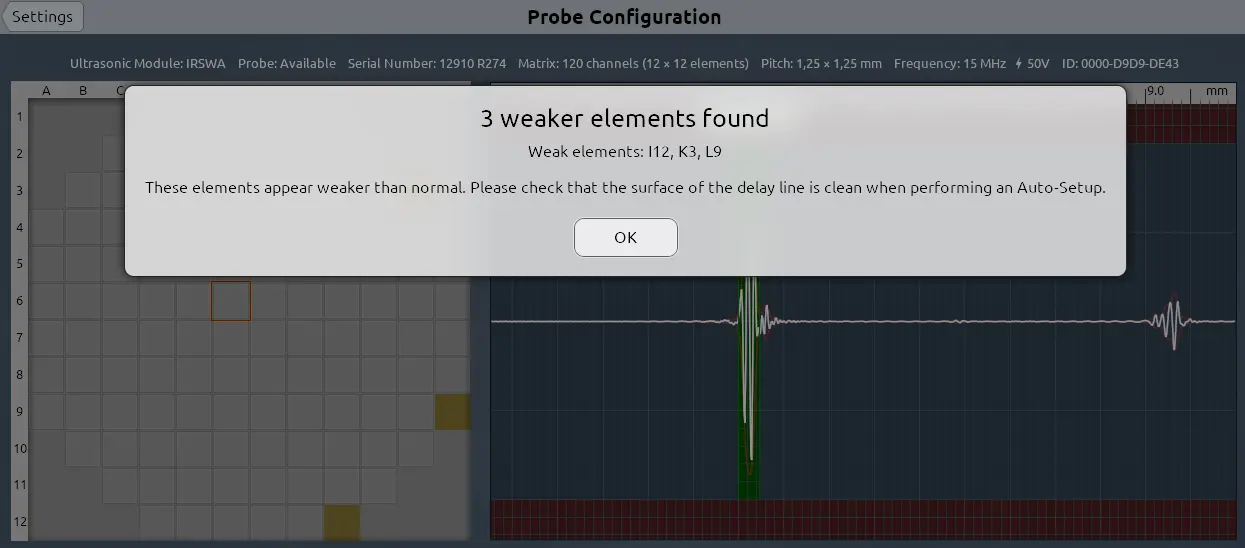
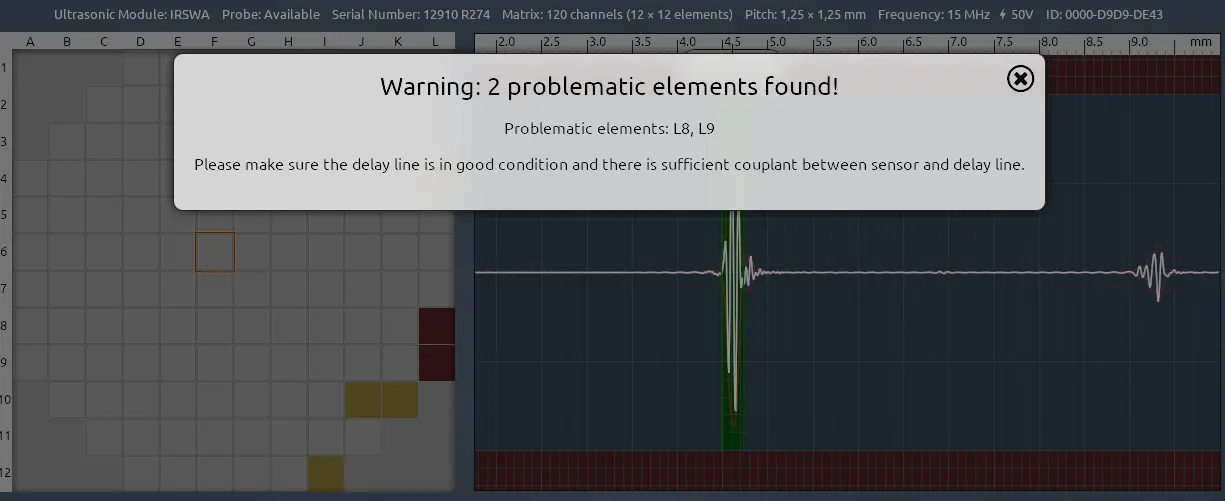
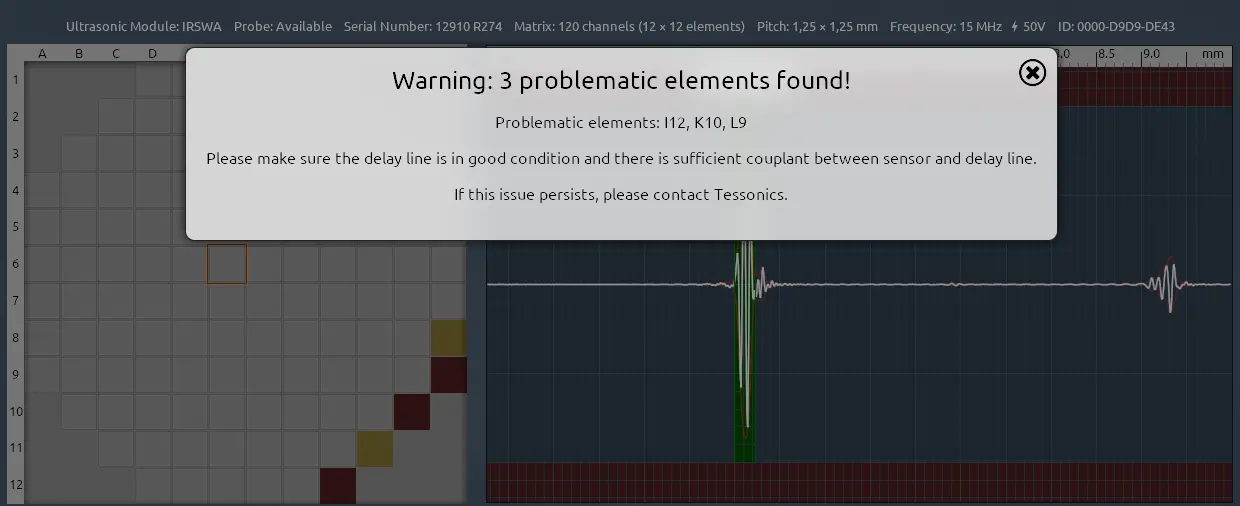
  • Update probe warnings on Auto-Setup menu.

    Display if the problematic elements just show low amplitude but may still function properly: 2-major.png

RSWA 4.9.0

· 6 Minuten Lesezeit

Highlights

There have been multiple updates to all our software in the V4 software suite, including:

  • Device Manager upgrades for TDS;
  • A-scan display in TDS inspection reports for new measurements;
  • Reworked part reports page;
  • Reworked spotlist layout in RSWA Array Explorer; and
  • Customizable active spot color in Array Explorer.

Click the heading for the full release notes.

RSWA 4.8.3

· Eine Minute Lesezeit

Small bug fix for TDS.

TDS Download

  • Fixed a bug that could crash TDS when the update notification was enabled in the settings.

RSWA 4.8.2

· Eine Minute Lesezeit

Small bug fix for TDS.

TDS Download

  • Fixed a bug that would show a part inspection as a free mode inspection.

RSWA 4.8.1

· Eine Minute Lesezeit

TDS Download

  • Fixed a permissions bug with the snapshot feature.

RSWA 4.5.1

· Eine Minute Lesezeit

Security update for TDS - Download strongly recommended

  • Hardened user input validation.

RSWA 4.4.2

· Eine Minute Lesezeit

Bug fixes with the 3T button in Array Explorer.

Download

RSWA 4.4.1

· Eine Minute Lesezeit

Some small bug fixes to Array Explorer.

Download

  • Bug fixes regarding selecting 3T mode.
  • Bug fixes with displaying measurements in continuous mode.

RSWA 4.3.1

· Eine Minute Lesezeit

Small bug fixes to Array Explorer.

Download

  • Bug fixes with importing templates.
  • Small improvements with the Array Explorer UI.
  • Small bug fixes with the device page on the TDS Server.

RSWA 4.2.2

· Eine Minute Lesezeit

Fixed rounding issue which would sometimes not display a warning if measurement and threshold were sufficiently close.

Download

RSWA 4.2.1

· Eine Minute Lesezeit

Fixed Floating Point Error during measurements, when front plate couldn't be detected properly.

Download

RSWA 4.2.0

· Eine Minute Lesezeit
hinweis

This release includes changes to the vboot.exe which is not built or shipped by default. This new vboot will allow to skip the Tessonics shell, if there is a file called shell_disabled under %LOCALAPPDATA%\tessonics\v4.

Download

RSWA 4.1.1

· Eine Minute Lesezeit

Minor updates to Array Explorer:

Download

  • Fixed missing VCRUNTIME140.dll on F1 devices.
  • Various translation fixes.

RSWA 4.0.1

· Eine Minute Lesezeit

Small bug fixes to Array Explorer:

Download

  • Using a more recent UDSP library which may improve the thickness gauge.
  • Added support for additional remote-control vid/pid identifiers.
  • Array Explorer fetaures a new thickness gauge code.
  • Desktop Tools and V3 Importer should be pretty much the same.

RSWA 4.0.0

· Eine Minute Lesezeit

First official release of the V4 software suite.

  • Array Explorer: Download
  • Tessonics Data Service (TDS): Download
  • Desktop Tools: Download