RSWA 4.11.0 (Upcoming)
Highlights
TDS
Features
-
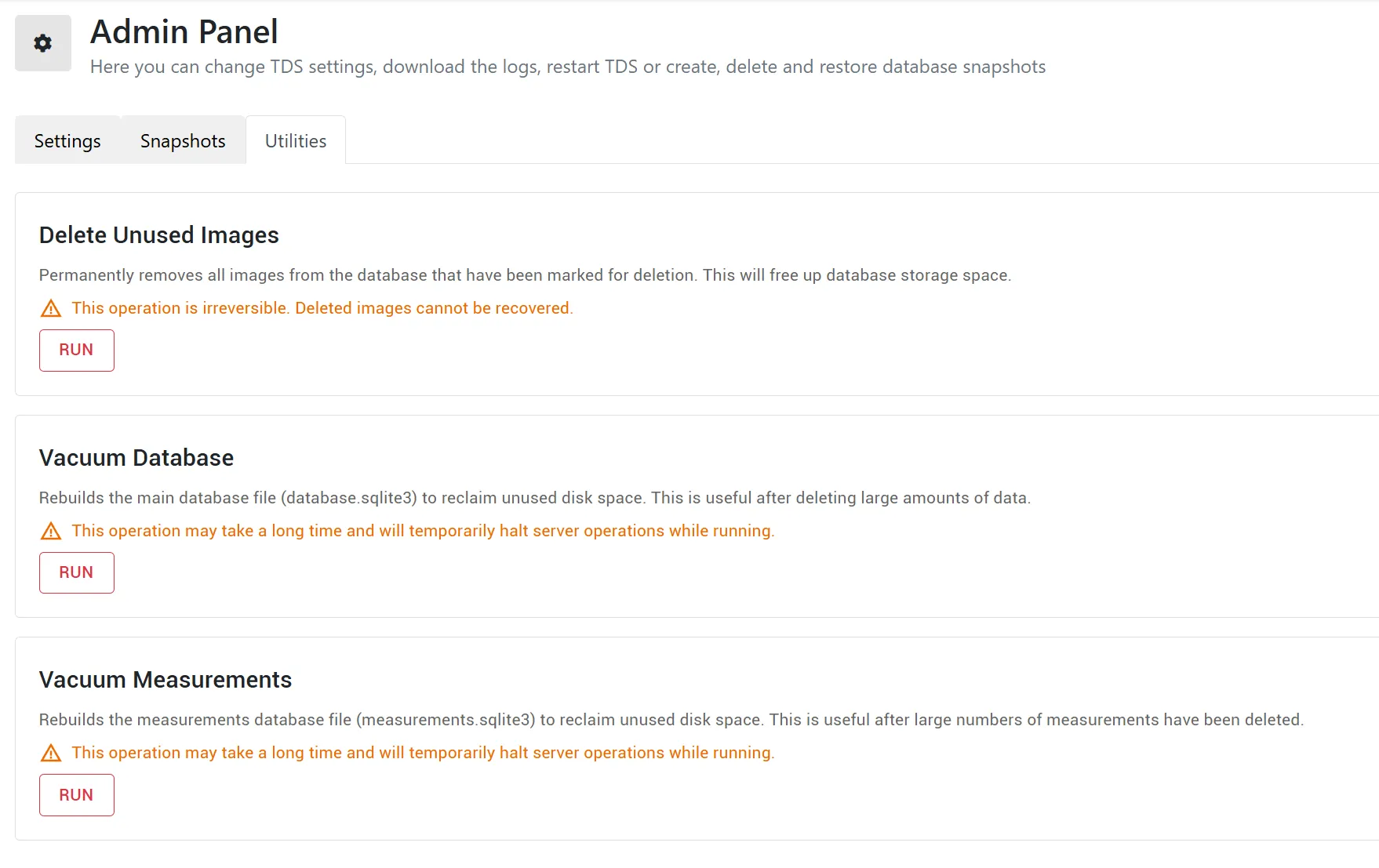
Added the TDS Admin Utilities Panel, which:
- Supports image purging.
- Reclaims unused but allocated database storage.
-
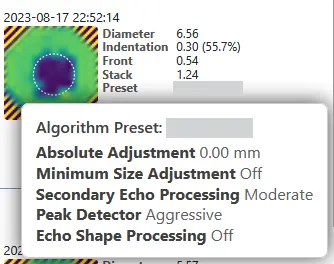
Added tooltips for presets when hovering over them in inspection reports.
-
Added a tooltip for the RSWA storage indicator with detailed storage information.

-
Reports now show the average remaining stack thickness.
-
Added an additional indicator for manual diameter overrides in inspection reports.
-
Added an additional inspection filter for Free Mode Inspections.
-
Added links to A-scan views:
- Inspection reports now open the respective A-scan viewer when loaded.
- Links can now be exported to CSV files.
Bugfixes
-
A-scans no longer disappear from inspection reports after a certain amount of time.
-
Fixed issues with large requests in the Importer and Desktop Tools.
-
Deleting a group now properly cascades through parts, images, spots, and other related entities.
-
Presets are no longer duplicated in inspection reports.
-
Inspection CSV exports containing multiple inspections now include the joint ID.
-
Fixed bugs that caused some measurements without timestamps to crash the display.
-
Quality-of-life improvements:
- Added additional logging.
- Added translations for previously untranslated GUI components.
- Deleting welds or bonds now cascades to related entities.
- Made minor GUI updates to alignment, positioning, and sizing.
-
API improvements:
- The Groups endpoint now returns responses as XML.
- Standardized timestamp formats across API endpoints.
Array Explorer
Features
- Shows algorithm preset as dark red if current measurement does not use the preset assigned to the joint.
- Route paths can now be rendered in the inspection route view.
- Scrollable containers now support draggable scrollbars and mouse-wheel scrolling.
- Probe Configuration settings can now be accessed from Signal Processing Settings.
- Screenshots can now be taken using the power dialog.
- Application Settings are organized into Measurements, Display, Application, and Buttons tabs.
- The diameter increment used by the remote +/- buttons is now configurable from 0.1 mm to 0.5 mm.
- Associated text inputs can now be submitted by pressing Enter.
Bugfixes
- Probe information is now displayed across three rows so all relevant details remain visible on small displays.
- Inspection Browser scrolling now preserves its position when more measurements are loaded.
- Can now resume inspections if the template revision information is unavailable.
- Saved inspections now display the algorithm settings used for the selected inspection.
- Added additional logging when Auto Setup operations fail.
- Fixed occasional "constraint violation" bug when saving inspections.
- Improved scrolling behavior throughout the application.
- Improved dead element detection under Probe Configuration.
- Minor visual tweaks to the Application Settings page.
Desktop Tools
Features
- The startup page now shows the configured TDS address and provides a button to change it.
- Subroutes can now be created from selected joints in an inspection route.
- Group and Part actions are now consistently available from buttons, context menus, and the Edit menu.
- Text inputs now support
Ctrl + Backspacefor deleting the previous word or punctuation.
Bugfixes
- Comments can now be deleted.
- TCP errors are now logged when retrieving inspection lists and device logs.
- Multiple bug fixes regarding multiple requests.
V3 -> V4 Importer
Features
- Improved the layout of the application.
- User options are now hidden when Do Not Import Users is selected.
- Raised maximum indentation threshold to 2mm.
Bugfixes
- Fixed bug where Enable display-name login would not work unless Migrate User Passwords was enabled.
- Fixed layout issue where options were hidden for smaller application windows.