F2 Experiences Blue Screen of Death
· 3 min read
If the F2 device is experiencing a blue screen of death, it is possible the Qualcomm network driver needs to be updated. Follow the steps described below to update the driver on the F2 device.
First, on a separate computer, carry out the following steps:
- Download the update from the Microsoft Update Catalogue. This should download a
.cabfile.- If the link above does not work, then download the first option from this page on the Microsoft Update Catalog.
- Use a tool to extract the file, such as 7-zip or WinRAR. If you have 7-zip installed, you can extract the files by right-clicking the
.cabfile, then under 7-zip, select Extract files... or Extract to "2cfbe...". - Copy the folder with the extracted content to a USB drive to plug into the F2 tablet.
Now on the F2 device, perform the following steps:
- Insert the USB drive into the unit.
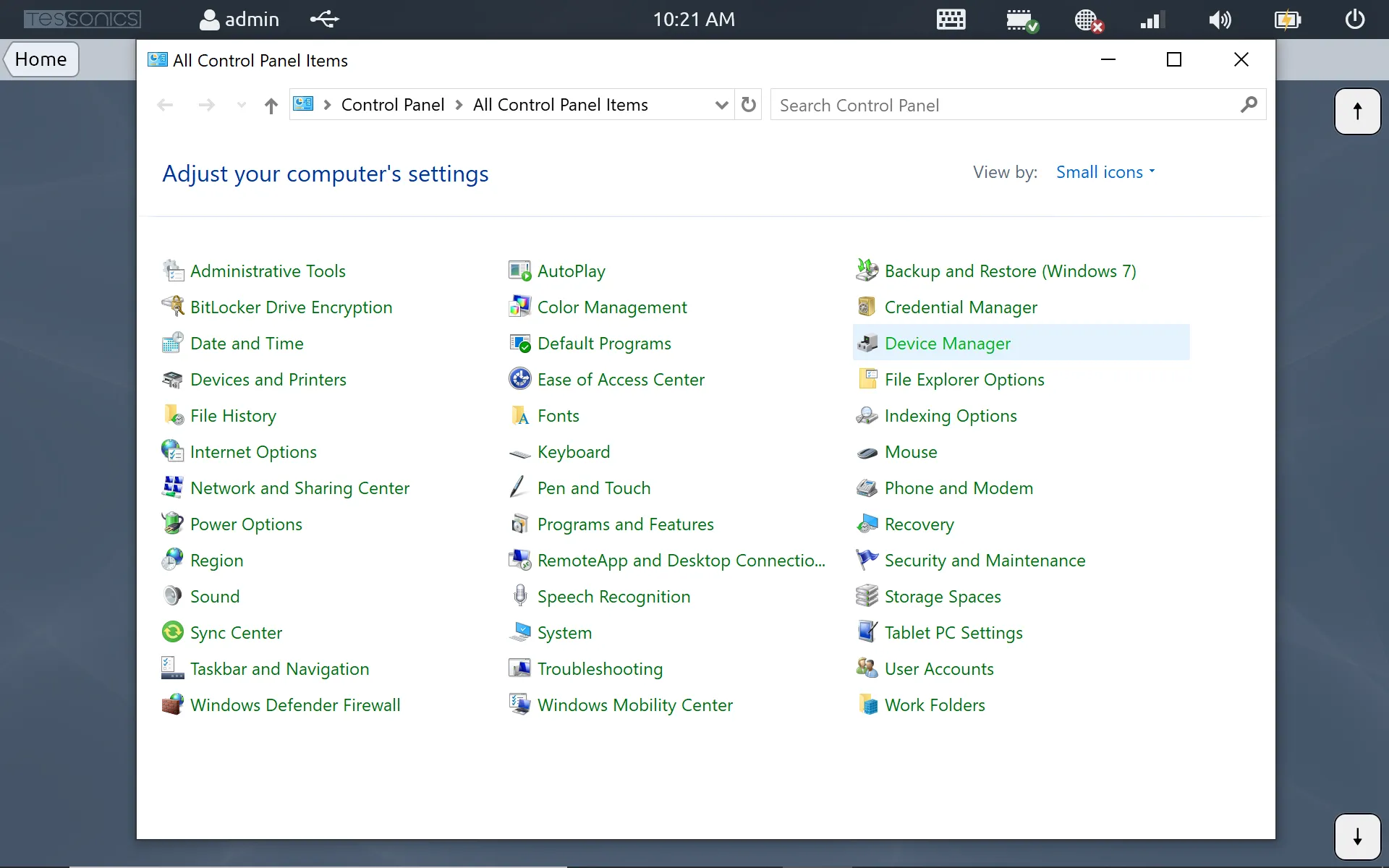
- Go to Settings then Control Panel. Once the Control Panel is open, navigate to Device Manager.
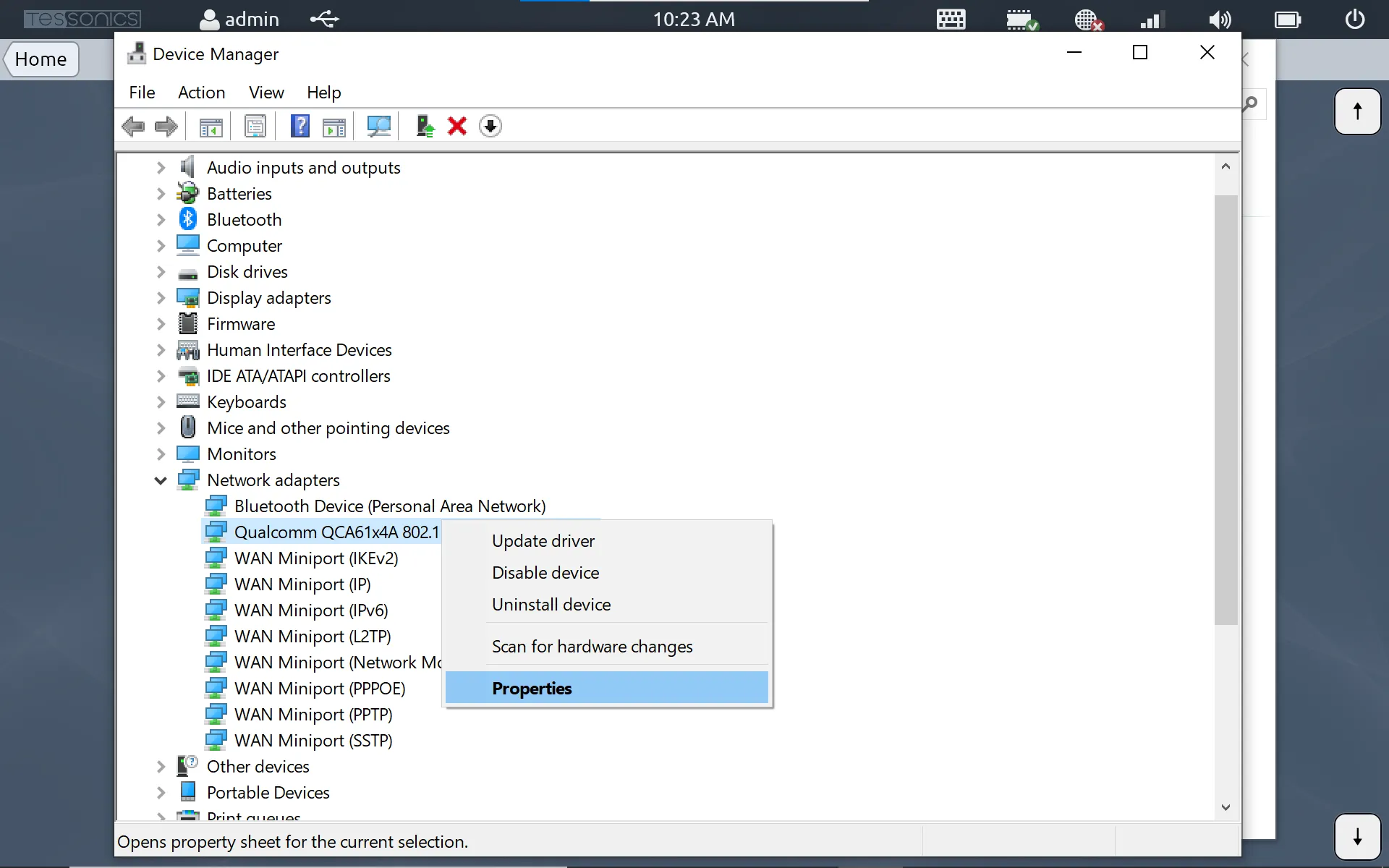
- On Device Manager, expand Network adapters. Select the device called Qualcomm, right-click and select Properties.
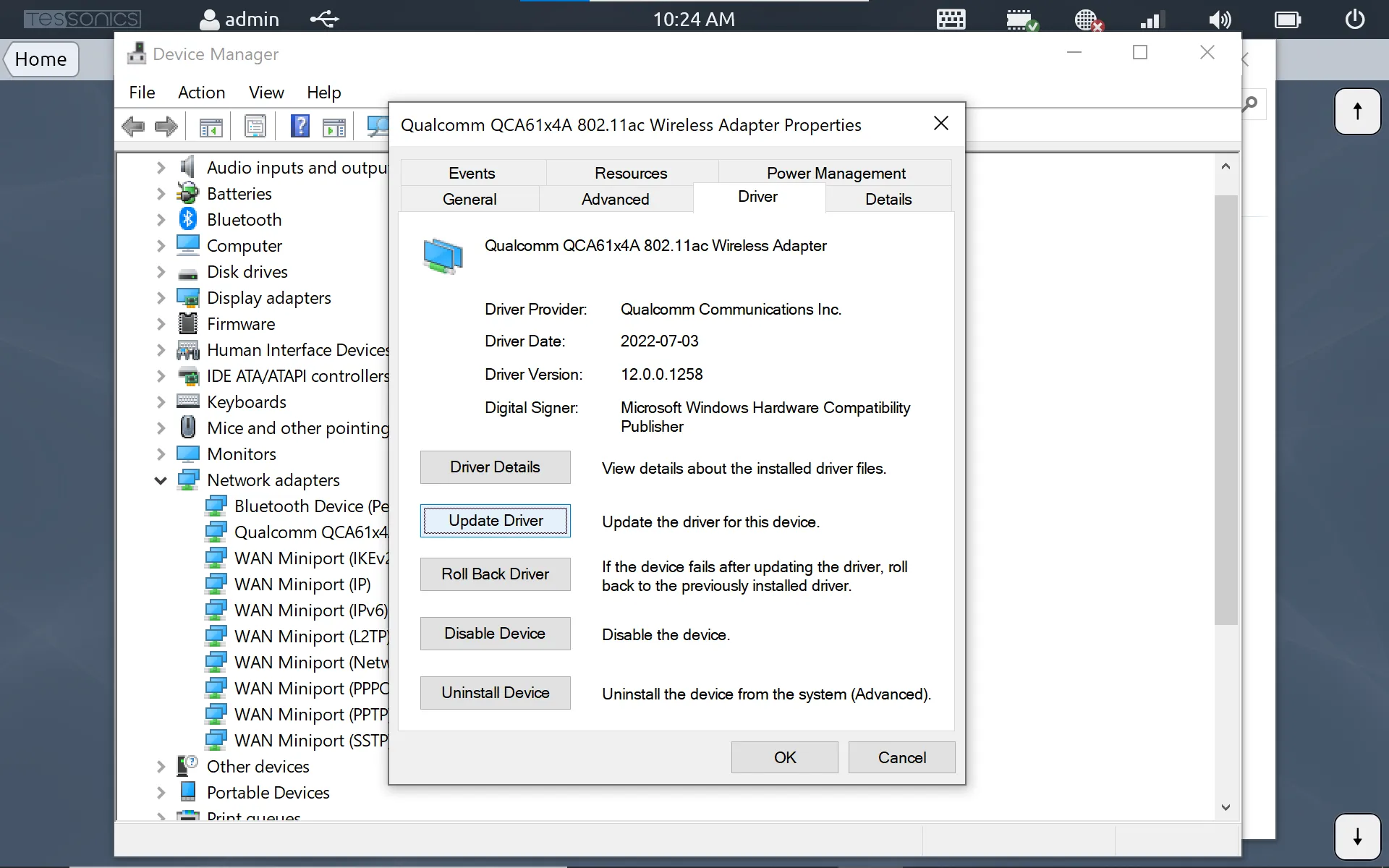
- Go to the Driver tab and select Update Driver.
- On the new popup, select Browse my computer for drivers.
- Select Let me pick from a list of available drivers on my computer.
- On the next popup screen, select the Have disk button.
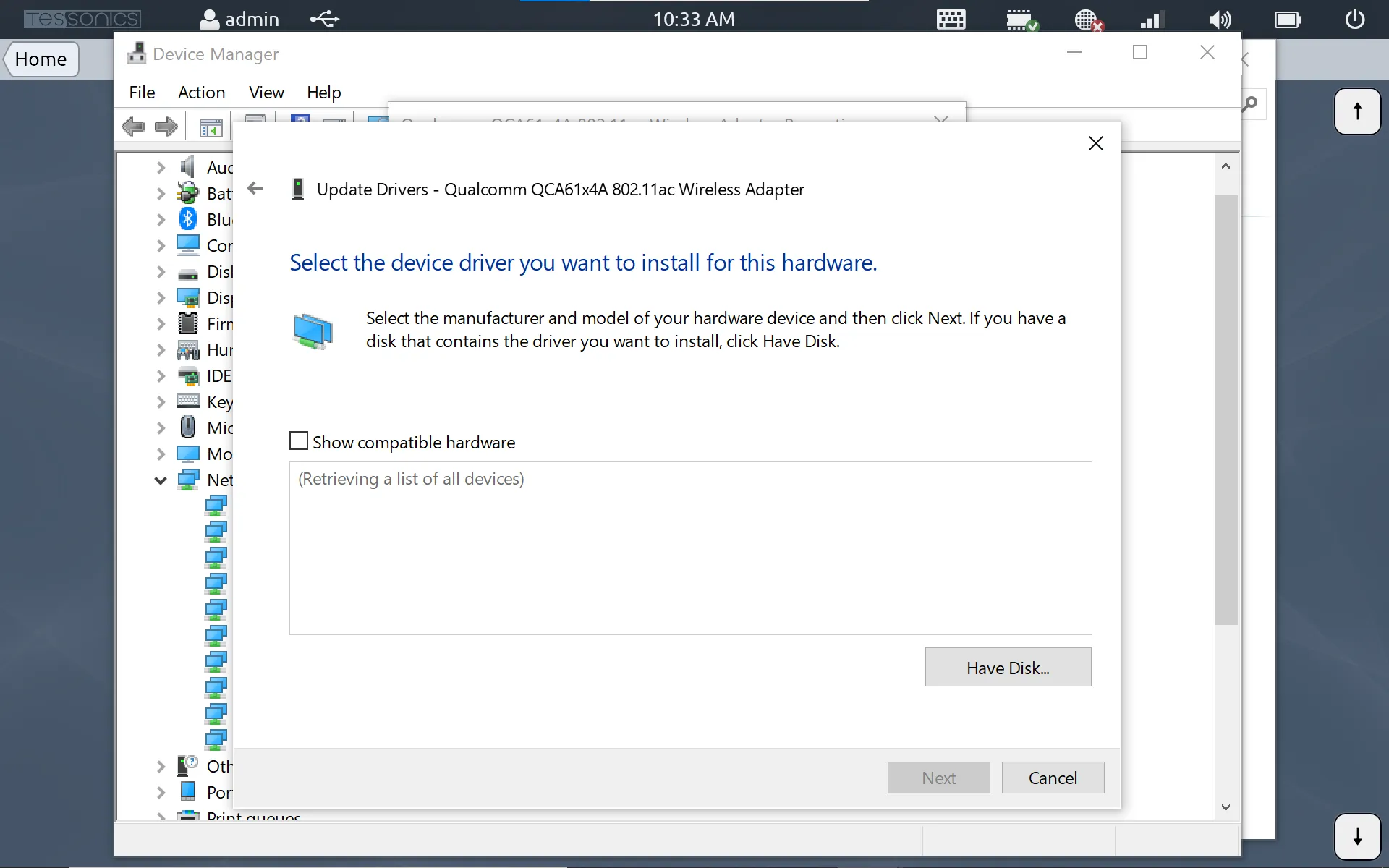
- Select Browse and navigate to the folder on the USB drive. There should be one file named similarly to
netathr10x.inf. Select this file and hit Open, then Ok. - After this, the page should show a list of drivers. Make sure to select the option labeled
Qualcomm QCA61x4A. Then select Next.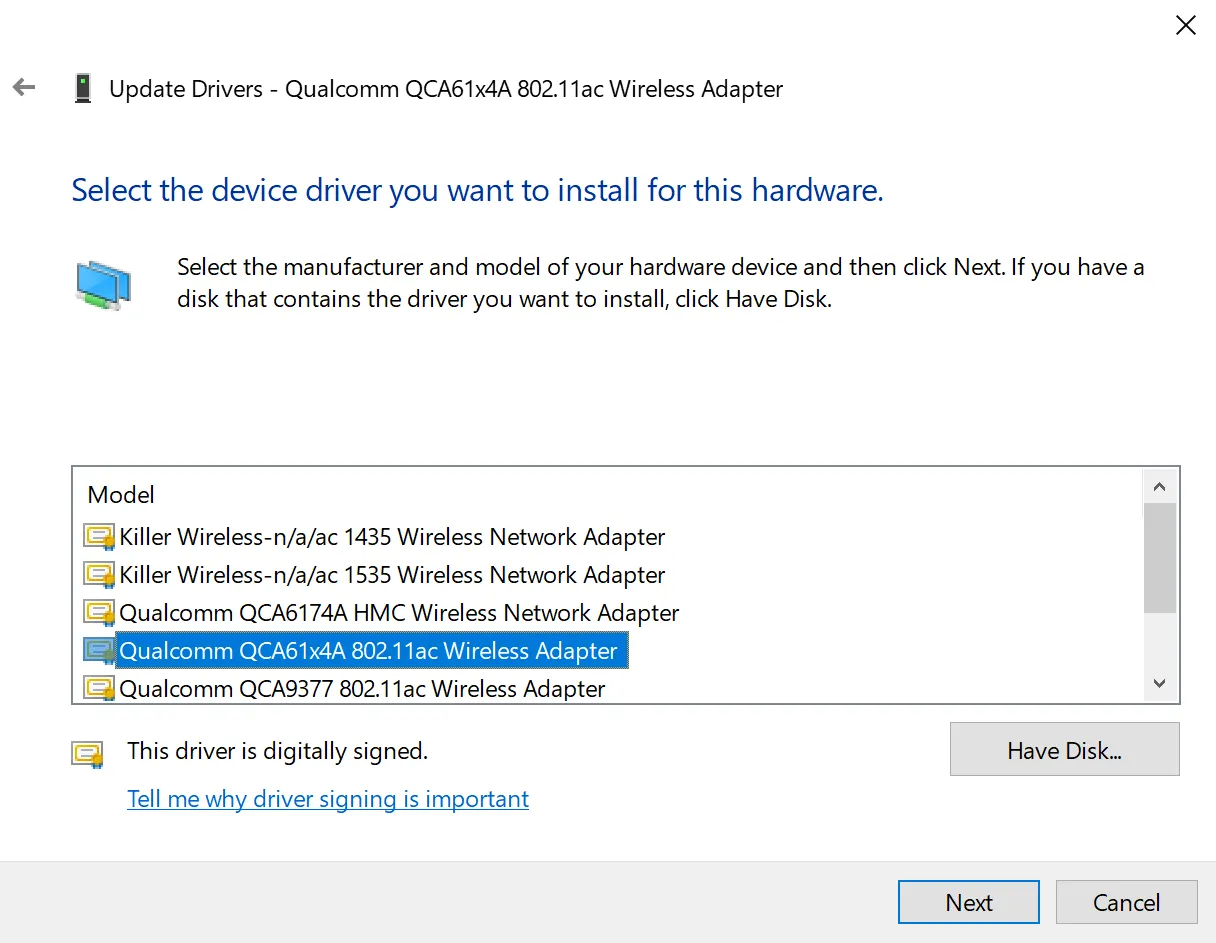
- You may see a popup warning similar to the one below. Simply select Yes to proceed.
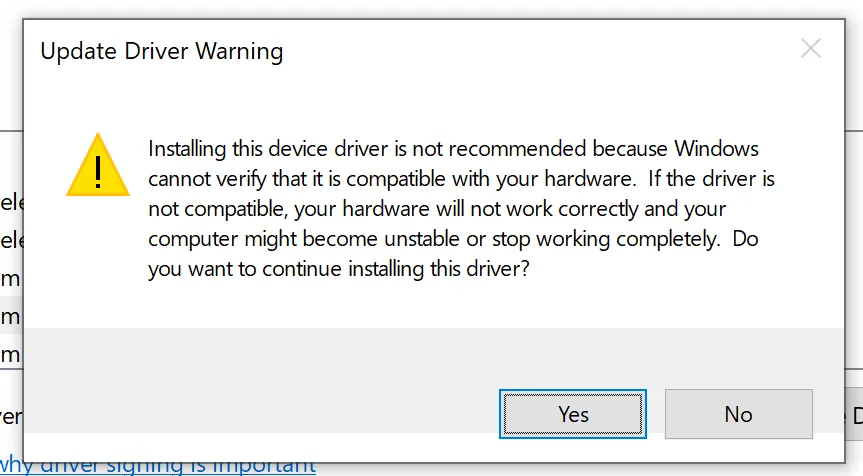
After this, the new driver should be installed, which should resolve the blue screen of death issue. You can confirm that the driver is installed by visiting the Driver tab of the Qualcomm device and observing the "Driver Version" is at least 12.0.
If installing the updated driver does not resolve the blue screen of death issue, contact Tessonics support for additional assistance.