C-Scan Panel
The C-Scan Panel displays the C-Scan (or the processed matrix interpretation) of the given measurement, which is the image that is created from the collective measurement data of all elements on the probe.
There are several color maps available. In the standard color map, green areas indicate fusion, while the red areas indicate no fusion between the plates.
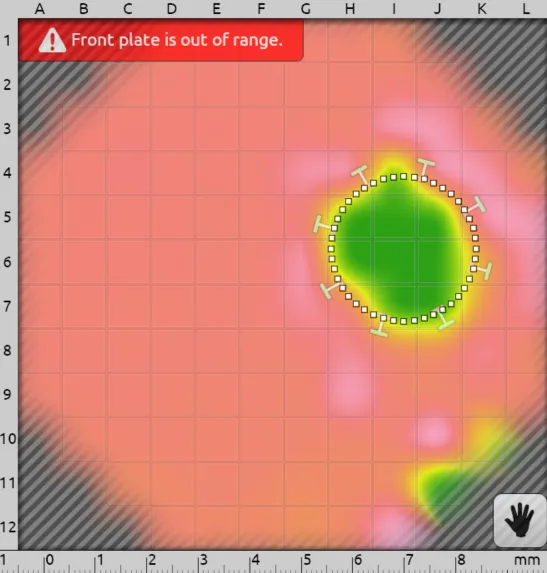
Warnings
If measurement values do not meet the thresholds or requirements from a test plan, a warning will be issued. The warning with the highest priority is displayed at the top left of the panel. Here is list of all possible warnings in order of highest to lowest priority:
- Diameter is too small.
- Measured value is different from setup.
- Measured stack is too small.
- Measured stack is too big.
- Indentation is too small.
- Indentation is too big.
- Front plate is out of range.
- Front plate is too thin.
- Front plate is too thick.
- Energy is out of range. For ABIS (adhesive bonds), this error may occur if the specified material is different from the actual material.
- Check gel.
- Probe is tilted too much.
- Partial coverage. For ABIS, this error might occur if only one edge of a strip is visible.
- Setup suggested. This error only displays if the Keep setup value across measurements setting in Application Settings is enabled, and the stack values change.
RSWA - Spot Welds
For spot welds, a dotted circle is displayed over the automatic estimation of the weld nugget location and diameter.
If this estimation is off, it can be manually adjusted by selecting the Hand button at the bottom right corner. The entire circle can be moved by clicking and dragging from inside the circle.
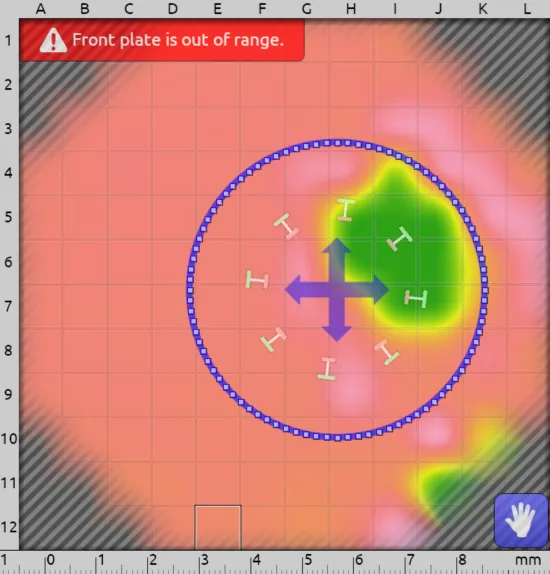
The circle's size can be changed by clicking and dragging from the edge of the circle. By changing the diameter manually, the diameter icon in the Header Bar changes to reflect the manual changes.
If you wish to select an element from within the circle while the manual overwrite is activated, please tap and drag from the outside of the circle to the element of interest.
To toggle between the manual and automatic diameter readings, select the Hand button.
If you toggle back to the automatic diameter readings and then switch to a different weld, those manual adjustments will be discarded.
ABIS - Adhesive Bonds
For adhesive bonds, three dashed lines are displayed over the automatic estimation of the bead location, direction and width.
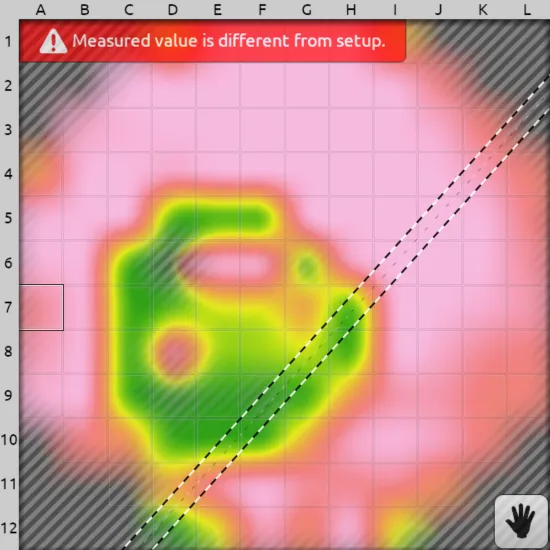
If the automatically generated calculations are off, they can be manually adjusted by selecting the Hand button at the bottom right corner. The entire section of strips may be moved by clicking and dragging from inside the two outer lines.
The width of the bead can be changed by clicking and dragging on one of the lines.
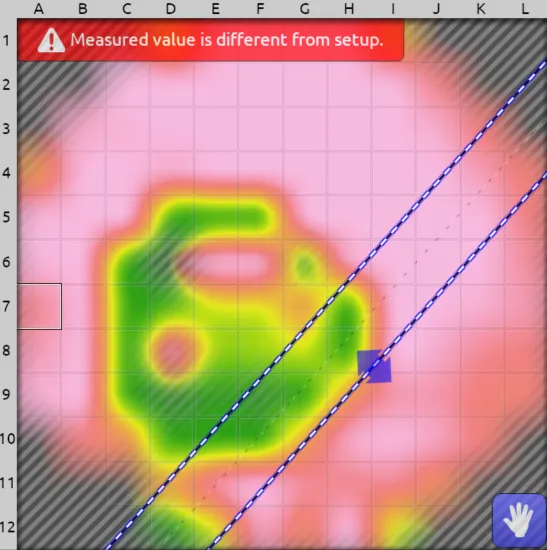
To toggle between the manual and automatic bead readings, select the Hand button.
If you toggle back to the automatic bead readings, those manual adjustments will be discarded.